
MSO — Motion Servo On
Description
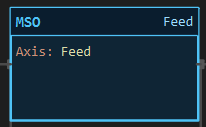
Section titled “Description”MSO (Motion Servo On) enables the drive of an axis. On a stepper axis it asserts the driver’s Enable pin so the motor is energized and holds position; on a DC axis it arms the H-bridge; on a servo axis it marks the axis ready. It sets the axis member DriverOn and nothing else. Use MSO once at power-up or when the machine is put into run, before any MAM, MAJ or MAG on that axis. Do not use MSO to start motion; it energizes the motor and leaves it where it is. An axis whose driver has no Enable pin wired is always energized, and MSO on it only sets the status bit.
Operands
Section titled “Operands”| Operand | Type | Format | Valid Range | Required | Description |
|---|---|---|---|---|---|
| Axis | Axis | Axis name | Any axis in Explorer ▸ Axes that has a driver | Yes | The axis to enable. An axis without a driver is a build error. |
Scan Behavior
Section titled “Scan Behavior”Prescan
Section titled “Prescan”Nothing. DriverOn is 0 at power-up; every axis starts disabled.
Rung-condition-in is false
Section titled “Rung-condition-in is false”Nothing. The axis stays in whatever state it was left.
Rung-condition-in is true
Section titled “Rung-condition-in is true”The driver is enabled and DriverOn = 1, on this scan and every scan the rung stays true. Repeating it changes nothing, so MSO may be held true or pulsed.
Postscan
Section titled “Postscan”Nothing. The driver stays enabled until an MSF runs or the controller resets.
| Axis type | What MSO does |
|---|---|
| Stepper (step/dir, TMC2130, 4-wire) | Asserts the Enable pin; the motor is energized and holds. |
| DC (L9110S H-bridge) | Arms the bridge; an MAJ may now apply duty. |
| Servo | Sets DriverOn only; the servo library holds the last angle regardless. |
Axis Members
Section titled “Axis Members”Motion status lives on the axis, not on a per-instruction tag. Every member is a reference you can use anywhere (XIC Feed.DriverOn, MOV Feed.ActualPos Pos_Now).
| Member | Data type | Set by | Cleared by | Description |
|---|---|---|---|---|
DriverOn |
BOOL | MSO | MSF | The drive is enabled. This is the member MSO writes. |
EN |
BOOL | MAM, MAJ, MAG while a command is active | Command complete, MAS, MSF | A motion command is engaged. |
IP |
BOOL | Axis service while steps are being produced | Motion stops | Motion in process. |
DN |
BOOL | MAM reaching its target, MSR | Next MAM or MAJ | Instruction done. |
PC |
BOOL | Same as DN |
Same as DN |
Process complete. |
InMotion |
BOOL | Axis service | Axis service | Steps produced this scan. |
Dir |
BOOL | Axis service | Axis service | 1 = forward. |
Error |
BOOL | Watchdog mismatch, TMC2130 driver fault | MAFR | Axis fault. |
ActualPos |
REAL | Axis service every scan | — | Position in axis units (counts ÷ counts per unit). |
CmdPos |
REAL | MAM, MAG, MSR | — | Commanded target in axis units. |
Counts |
DINT | Axis service every scan | MSR, ResetCounts |
Raw step counts. |
RedefinePos |
REAL | MSR | — | Value of the last MSR. |
ResetCounts |
BOOL | Your logic (write 1) | Firmware, after zeroing | Zero the counts without an MSR. |
Watchdog |
INT (ms) | Axis properties; your logic may overwrite | — | How long commanded and actual motion may disagree before Error sets. |
Example
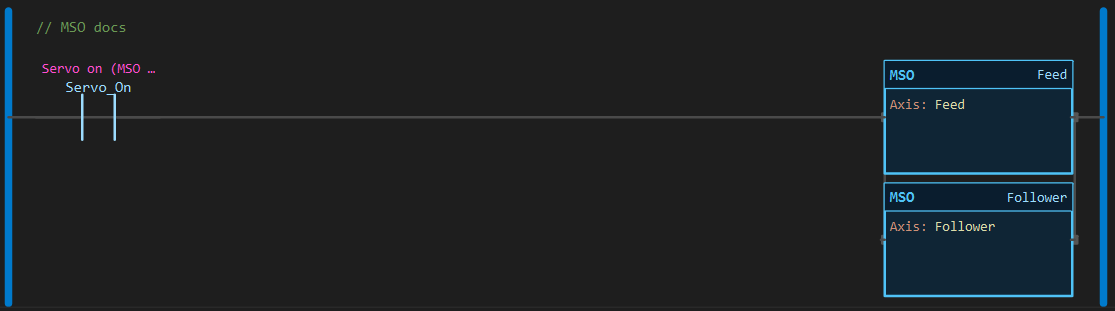
Section titled “Example”Scenario: A two-axis feeder. One selector switch, Servo_On, energizes both axes so the operator has a single “drives on” control.
Tags and axes:
Servo_On— Servo on, BOOLFeed— stepper axis, step/dir driver on D8/D9, 80 counts per mmFollower— stepper axis, step/dir driver on D6/D7, 80 counts per mm
Rung 1:
—|XIC Servo_On|——┬——[MSO Feed]——————┬—— └——[MSO Follower]——┘Scan 1 — Servo_On = 0. Both drives disabled. Feed.DriverOn = 0, Follower.DriverOn = 0.
Scan 2 — Servo_On = 1. Both blocks execute. Feed.DriverOn = 1, Follower.DriverOn = 1. Motion blocks paint neutral; the lit wire shows the rung is true.
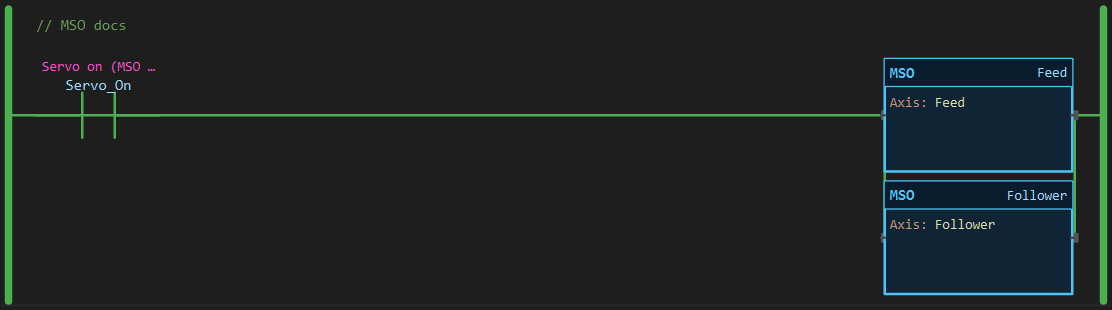
Nothing moves yet. The MAM, MAJ and MAG pages carry on from this state.
See Also
Section titled “See Also”- MSF — Motion Servo Off (the opposite)
- MAM — Motion Axis Move (the usual next instruction)
- MAFR — Motion Axis Fault Reset
- Adding an Axis — driver, pins, units and counts per unit
- Motion Instructions — Category index
MSO first, always. A move or jog commanded while the drive is off is still counted. The step pulses go out, the counter advances, ActualPos changes, but the de-energized motor never turns. The controller then believes the axis is somewhere it is not. Interlock every MAM and MAJ with XIC <axis>.DriverOn.
Holding torque. With the drive enabled a stepper holds its position and draws current standing still. MSF releases it.
No Enable pin. A step/dir driver with the Enable pin left blank in the axis properties is wired always-on. MSO and MSF then only change DriverOn; the motor is energized from power-up.
One instruction per axis. MSO takes one axis. Enable several with an output branch, as in the example.
Applies to LadderIDE >=1.2.2 · Last reviewed 2026-09-11 · Screenshots verified 2026-09-11